
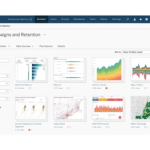
Tableau (Salesforce)

Brand: Salesforce

4.6/5 ★

Based on 2 Reviews

| Write a Review | Have Questions?

Save Extra with 2 Offers

  • Save up to 28%, Get GST Invoice
  • Buy Now & Pay Later

Visual analytics platform for interactive dashboards and data storytelling.

Read more

  • Advice
    Get Instant Expert
    Advice
  • Payment
    Safe & Secure
    Payment
  • Guaranteed
    Assured Best Price
    Guaranteed
  • Description

  • Pricing

  • Features

  • Specification

  • Reviews

  • Questions

  • FAQs

Tableau (Salesforce) Software Pricing, Features & Reviews

What is Tableau (Salesforce)?

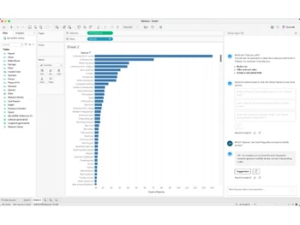
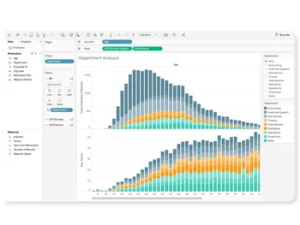
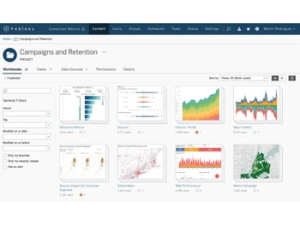
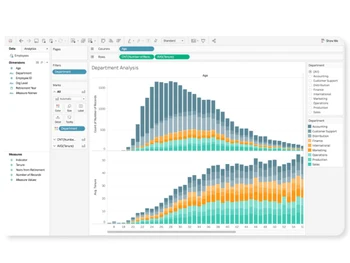
Tableau, part of the Salesforce ecosystem, is a leading visual analytics and business intelligence platform designed to help organizations explore and understand data through interactive dashboards and compelling data storytelling. With powerful visualization capabilities, governed data access, and flexible deployment options via Tableau Cloud or Tableau Server, Tableau empowers decision-makers to turn complex data into clear, actionable insights.

Why Choose Tableau (Salesforce) Software?
  • Interactive Visual Analytics: Create intuitive dashboards for deep data exploration.
  • Governed Data Access: Secure, managed data for trusted analytics.
  • Flexible Deployment: Cloud and on-premises options to suit organizational needs.
  • Seamless Salesforce Integration: Enhance CRM insights with rich analytics.
  • Rapid Data Exploration: Fast performance with drag-and-drop analytics.
  • Storytelling with Data: Turn analytics into clear, compelling narratives.
  • Broad Data Connectivity: Connect to a wide range of data sources.
Features of the Tableau (Salesforce) Platform
  • Visual Analytics: Intuitive dashboards, charts, and reports for data exploration.
  • Data Integration: Connect to on-premises and cloud data sources with ease.
  • Governed Self-Service: Secure self-service analytics for all users.
  • AI & Machine Learning Integration: Automated insights and predictive analytics.
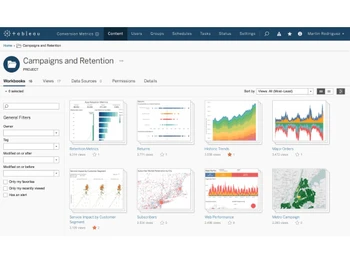
  • Collaboration Tools: Share dashboards and insights across teams and organizations.
  • Mobile Analytics: Access interactive dashboards on any device.
  • Scalable Architecture: Support for individual users to enterprise-wide deployments.

Tableau (Salesforce) Pricing & Plans

Request For Price

Tableau (Salesforce)

Visual analytics platform for interactive dashboards and data storytelling.

Tableau (Salesforce) Features

  • Drag‑and‑drop Visual Analytics
  • Dashboards & Story Points, Data Prep (Tableau Prep)
  • Ask Data & Explain Data, Row‑Level Security, Extensions & APIs
  • Mobile Apps
  • Tableau Server/Cloud deployment
Tableau (Salesforce) Specifications

Supported Platforms :

Windows, macOS (Desktop), Web,iOS/Android (mobile)

Device :

Desktop, Mobile, Tablet, iPad

Deployment :

Cloud (Tableau Cloud) or On‑premises (Tableau Server)

Suitable For :

All Industries

Business Specific :

All Businesses

Business Size :

Small Business, Startups, Medium Business, Enterprises

Customer Support :

Phone, Email, Chat, Knowledge Base, Communities

Training :

Documentation, Videos, Webinars

Language :

English (+ additional languages; varies by region)

Tableau (Salesforce) Reviews

100%

Have recommended this product

Overall Score

4.6/5
★★★★☆

Based on 2 Reviews

Features 5/5
Value for Money 5/5
Ease of Use 4.5/5
Customer Support 4/5

Review this product

Your valuable feedback helps others make better decisions.

Add Review

4.8 Excellent tool for visual analytics and storytelling

Tableau has made data visualization so much easier for our team. The drag-and-drop interface is intuitive, and the ability to build interactive dashboards helps us present insights to management in a very clear way. The ‘Ask Data’ and ‘Explain Data’ features are particularly useful for quick analysis.

Pros: Previously, we relied on static reports. Tableau now gives us real-time, interactive dashboards, making it easier to identify trends and communicate insights effectively.
Cons: Can be resource heavy on large datasets Licensing costs are on the higher side

4.5 Great for dashboards, but has a learning curve

We use Tableau for sales and operations reporting. The dashboards are dynamic and help us monitor KPIs in real time. Integration with Salesforce makes it very convenient. However, it does take some time for new users to get comfortable with advanced features.

Pros: Before Tableau, compiling sales and operations reports took hours each week. Now, the reports update automatically and can be shared easily across teams.
Cons: Steeper learning curve for advanced modeling Requires good hardware for heavy workloads

Tableau (Salesforce) Questions

No questions yet. Be the first to ask!

Tableau (Salesforce) FAQ

Creators use Desktop/Browser to build models; Viewers consume dashboards in web/mobile.

Yes, with permissions, data sources, and row‑level security.

Yes, including native connectors and embedded analytics.
Scroll to Top
×

Fill the form to get the advice

    ×

    Fill the form to become a partner