Microsoft Power BI

Brand: Microsoft Corporation

5.0/5 ★

Based on 2 Reviews

| Write a Review | Have Questions?

Save Extra with 2 Offers

  • Save up to 28%, Get GST Invoice
  • Buy Now & Pay Later

Data visualization and analytics with seamless Microsoft integration.

Read more

  • Advice
    Get Instant Expert
    Advice
  • Payment
    Safe & Secure
    Payment
  • Guaranteed
    Assured Best Price
    Guaranteed
  • Description

  • Pricing

  • Specification

  • Reviews

  • Questions

  • FAQs

Microsoft Power BI Software Pricing, Features & Reviews

What is Microsoft Power BI?

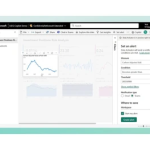
Microsoft Power BI is a powerful business intelligence and analytics platform designed to transform raw data into insightful, interactive visualizations. Seamlessly integrated with the Microsoft ecosystem, Power BI enables organizations to connect to diverse data sources, model data efficiently, and deliver self-service and enterprise-wide analytics. With advanced tools like DAX and Power Query, Power BI empowers users to make data-driven decisions and gain actionable insights in real time.

Why Choose Microsoft Power BI Software?
  • Comprehensive Data Connectivity: Connect to hundreds of data sources with ease.
  • Advanced Data Modeling: Create sophisticated models with DAX and Power Query.
  • Interactive Visualizations: Build dynamic dashboards and reports with intuitive tools.
  • Seamless Microsoft Integration: Works natively with Microsoft 365, Azure, and Teams.
  • Self-Service Analytics: Empower teams to explore data without IT dependency.
  • Scalable Platform: Supports individual, departmental, and enterprise analytics needs.
  • Real-Time Insights: Access live dashboards for proactive decision-making.
Features of the Microsoft Power BI Platform
  • Data Connectivity: Integration with on-premises and cloud-based data sources.
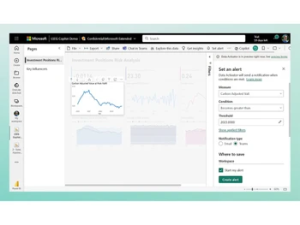
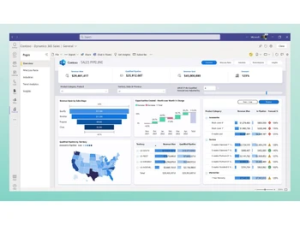
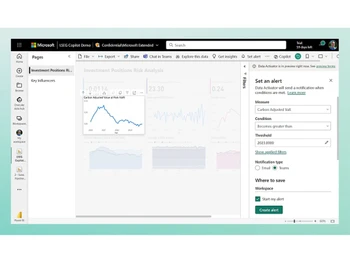
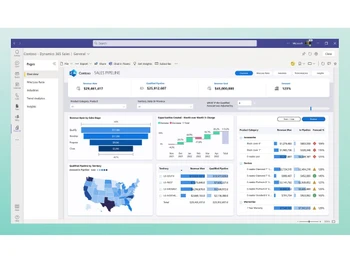
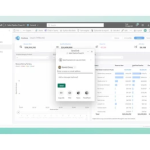
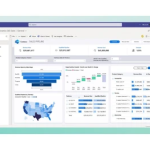
  • Interactive Dashboards: Rich visualizations and customizable reporting capabilities.
  • Data Modeling & Transformation: Advanced calculations with DAX and efficient data shaping with Power Query.
  • Natural Language Query: Ask questions in plain language for quick insights.
  • AI-Powered Analytics: Automated insights and predictive analytics.
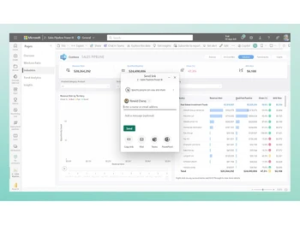
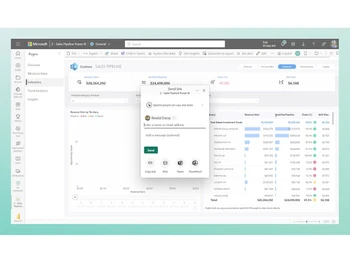
  • Collaboration & Sharing: Share dashboards and reports within Microsoft Teams and across the organization.
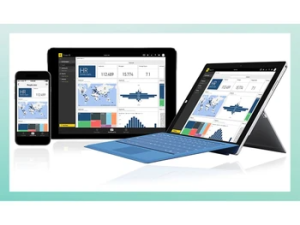
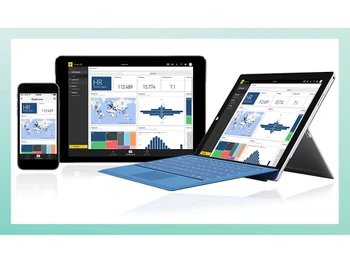
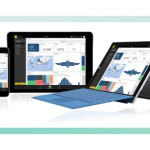
  • Mobile BI: Access analytics on-the-go with mobile apps.

Microsoft Power BI Pricing & Plans

Pricing of Refrens Microsoft Power BI

Microsoft Power BI pricing is available on request at smartbizsoft.com. The cost depends on factors like features, usage requirements, and organizational needs.

For detailed pricing, offers, or a free demo, you can contact the product team.

Request For Price

Microsoft Power BI

Data visualization and analytics with seamless Microsoft integration.

Microsoft Power BI Specifications

Supported Platforms :

Windows

Device :

Desktop

Deployment :

Web-Based

Suitable For :

All Industries

Business Specific :

All Businesses

Business Size :

Small Business, Startups, Medium Business, Enterprises, SMBs, SMEs, MSMBs

Customer Support :

Phone, Email, Chat, Knowledge Base, Communities

Training :

In Person, Live Online, Webinars, Videos

Language :

English

Microsoft Power BI Reviews

100%

Have recommended this product

Overall Score

5/5
★★★★★

Based on 2 Reviews

Features 5/5
Value for Money 5/5
Ease of Use 5/5
Customer Support 5/5

Review this product

Your valuable feedback helps others make better decisions.

Add Review

5 ★ Powerful BI tool with seamless Microsoft ecosystem integration

Power BI has transformed how we analyze and present data across the organization. The integration with Excel, Teams, and PowerPoint makes it easy for business users to adopt, while advanced features like DAX and Power Query allow analysts to build complex models. The dashboards are interactive and intuitive

Pros: Earlier, reports were static and delayed. With Power BI, we now have real-time dashboards that management can access anytime, enabling faster and more informed decisions
Cons: Large datasets may require Premium for performance DAX learning curve can be steep for beginners

5 ★ Great value for business intelligence, but needs better handling of big data

We implemented Power BI across our sales and operations teams. It’s easy to connect different data sources and build dashboards that everyone understands. The cost is reasonable, and the adoption has been quick. However, when working with very large datasets, performance can become an issue without Premium.

Pros: Before Power BI, our reporting relied heavily on manual Excel work. Now, all key metrics are updated automatically and shared via dashboards, saving hours of reporting effort every week.
Cons: Performance issues with very large datasets Requires Premium for advanced enterprise features

Microsoft Power BI Questions

No questions yet. Be the first to ask!

Microsoft Power BI FAQ

Microsoft Power BI Pro (CSP) Business Intelligence Software is compatible with Windows operating systems.

Microsoft Power BI Pro (CSP) Business Intelligence Software app is not available.

Microsoft Power BI Pro (CSP) Business Intelligence Software supports Web-Based.

Microsoft Power BI Pro (CSP) Business Intelligence Software is typically used in All Industries.

Microsoft Power BI Pro (CSP) Business Intelligence Software demo is available for free with Smartbizsoft.com

Microsoft Power BI Pro (CSP) Business Intelligence Software offers a free trial. However, the premium plan with advanced features available at Smartbizsoft.
Scroll to Top
×

Fill the form to get the advice

    ×

    Fill the form to become a partner